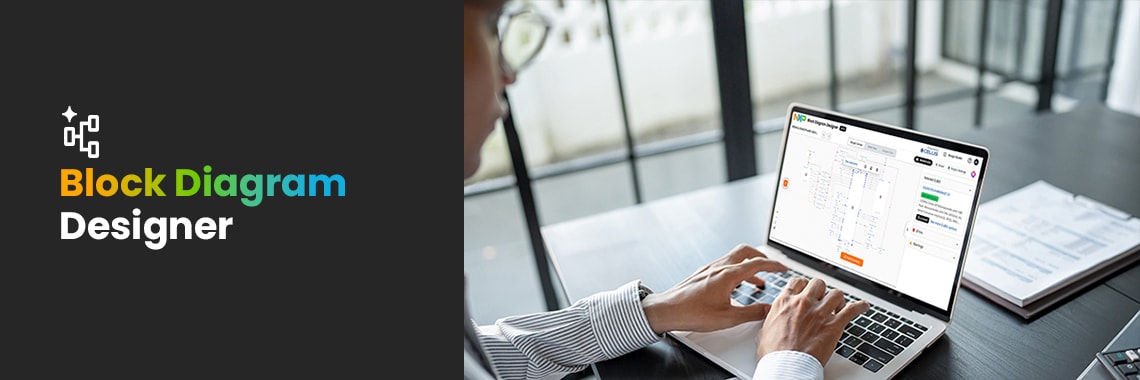
From developing a smart thermostat to creating an industrial gateway, designing an edge AI device or exploring a completely new product concept, system-level planning is critical to establishing a strong design foundation. Before selecting components, engineers need to understand how processors, connectivity, and peripherals work together as a system.
However, finding that starting point isn't always easy. Key design information is often scattered across product pages, reference designs, application notes and technical documentation, making early exploration both time-consuming and fragmented.
To help bridge that gap between concept and architecture, the NXP Block Diagram Designer now includes AI-powered search capabilities. Simply describe what you want to build, and the tool helps surface relevant system-level designs, allowing you to move from idea to design faster.
Starting with the Outcome
If you already know exactly what you're looking for, traditional search works. But early in the design process, this is often not the case.
Instead, engineers often begin with questions such as:
How would I design an industrial gateway?
What does a smart energy monitoring system look like?
Which processors and connectivity technologies are commonly used in an edge AI application?
Using the AI-assisted chat in the Block Diagram Designer, you can start with the problem you're trying to solve. Here, you describe your application, explore relevant system concepts, and quickly evaluate architecture options without jumping between multiple websites, documents, and tools.
Rather than piecing information together manually, you can begin with a visual representation of the system and refine it from there.
Describe a system or application concept in natural language
Discover relevant architectures across automotive, industrial and IoT applications
Launch a new project from an existing design or build one from scratch
Visualize how processing, connectivity and peripherals interact
Modify blocks, connections and requirements as your design evolves
This visual approach makes architecture discussions more productive and efficient by helping teams align on system intent earlier, before investing significant effort in schematics, hardware layouts or software development.
Speed up
your design
Turn ideas into design-ready solutions quickly.
Designing with the Whole System in Mind
Engineering decisions are not made in isolation.
The Block Diagram Designer helps engineers maintain a system-level perspective throughout the design process. As you refine your architecture, the tool provides access to key technical content such as datasheets, product information, CAD models, and design resources directly within the workflow.
AI-assisted recommendations help identify relevant component options, making it easier to evaluate tradeoffs and reduce costly redesigns later in development.
Going from Architecture to Execution
A system diagram should be more than a picture. It should also help accelerate development.
Once your architecture is defined, the Block Diagram Designer helps carry that design forward through generating a BOM and exporting into industry-standard EDA environments.
Designs can be continued in tools including Autodesk Fusion, Eagle, Altium Designer and KiCad, creating a smoother transition from system planning to detailed implementation.
The design journey doesn't stop with hardware. Through the NXP ecosystem, engineers can access software examples, reference designs, and technical resources aligned with their selected components. Integration with the Application Code Hub (ACH) further accelerates the time from design to code.
What do you want
to
design today?
Starting with an Idea. Leaving with a Design.
Whether you're evaluating a new product concept, creating a proof of concept (POC) or defining the architecture for your next design, the NXP Block Diagram Designer helps you turn ideas into actionable system designs more efficiently.
Simply describe what you want to build. Customize block diagrams. Generate a BOM. Continue into your preferred design tools.
From concept to implementation, the AI-powered Block Diagram Designer helps engineers spend less time gathering resources and more time designing.
Important note
The Block Diagram Designer is provided for general informational and illustrative purposes. Its outputs should not be relied on as professional engineering, technical or design advice. Users are responsible for independently verifying results and ensuring that design decisions comply with applicable standards, regulations and safety requirements.
Senior Manager, Digital Content Strategy at NXP Semiconductors
Rebecca leads customer journey strategy and content excellence to help users find what they need quickly to support their work more effectively. In this role, she also partners cross‑functionally to align digital experiences with business goals. With a background in product marketing across microcontrollers, industrial and IoT markets, she brings strong customer and technical insight.