Getting Started with MR-VMU-TROPIC
本文档内容
-
Out of the Box
-
Get to Know the Board
-
Build and Run
-
Plug It In
1. Out of the Box
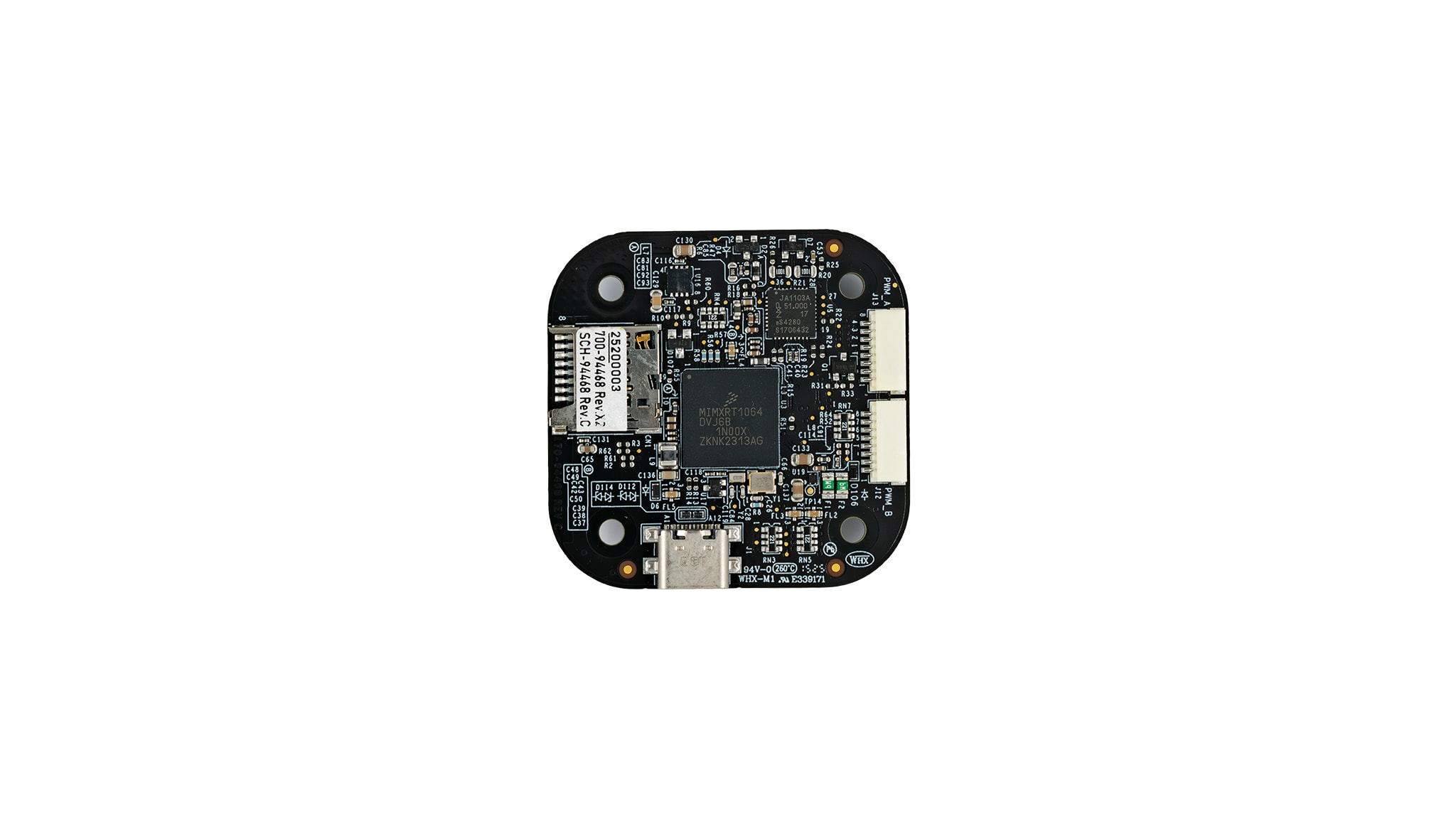
The MR-VMU-Tropic is the flight controller, or vehicle management unit (VMU), reference design in the NXP Mobile Robotics family. Built around an NXP i.MX RT1064 crossover microcontroller unit (MCU), this PX4/NuttX autopilot provides real-time flight-control and input/output (I/O) functions for drones and mobile robots.
This guide walks you throug how to download or build the firmware and flash it to the board to run PX4. Refer to the the MR-VMU-Tropic user manual for more detailed headware firmware and configuration details.
1.1 Kit Contents
Contents of the MR-VMU-TROPIC kit include:
- MR-VMU-Tropic flight-controller board based on the NXP i.MX RT1064 MCU
- Dronecode-standard debug/console connectors
1.2 Additional Hardware
- 9 V to 52 V DC power supply or 3S-to-12S battery
- USB Type-C cable for the console and PX4 firmware uploads
- MCU-Link or Cortex Microcontroller Software Interface Standard–Debug Access Port (CMSIS-DAP)-compatible debug probe, or SEGGER J-Link debug probe, for initial bootloader programming
1.3 Minimum System Requirements for SDK
You will need a Linux host PC workstation to run the software development kit (SDK) toolchain. Docker must be installed and the PC workstation must have outbound internet access as downloading and building images are done inside a Docker container built from the SDK Dockerfile.
- Linux PC workstation with Docker installed; Ubuntu 24.04 is recommended
- At least 25 GB of free disk space on the Docker storage volume
- Outbound internet access to download the SDK containers and artifacts
- A USB port for the debug or flashing probe and powering the board
1.4 Software
The SDK orchestrates image download and build; the flashing tool programs the board. You will need to download the necessary software. Refer the following list of software, tools and firmware options to build, program and update the board:
- NXP Robotic Platforms SDK (west-based) that runs inside the SDK Docker container
- west meta-tool and Docker, installed on the Linux PC workstation
- NXP LinkServer for initial bootloader and application programming to Quad Serial Peripheral Interface (QSPI) flash through an MCU-Link or CMSIS-DAP-compatible debug probe
- QGroundControl or the PX4
px_uploader.pyscript for routine.px4 firmware uploads over USB - Alternative Zephyr target for this board
2. Get to Know the Board
The MR-VMU-Tropic is a validated flight-controller starting point that allows you to evaluate, reproduce and adapt vehicles.
2.1 Board Description
The i.MX RT1064 is an NXP crossover MCU based on an Arm® Cortex®-M7 core with integrated flash and on-chip real-time clock. It runs the PX4 flight stack on the NuttX RTOS and drives the motor outputs, sensor interfaces and communication links required for autonomous flight and motion control.
2.2 Board Features
- NXP i.MX RT1064 crossover with an Arm® Cortex®-M7 core and integrated flash and on-chip real-time clock (RTC)
- PX4 flight stack running on the NuttX real-time operating system (RTOS)
- Motor outputs, sensor interfaces and communication links for autonomous flight and motion control
- Controller Area Network Flexible Data-Rate (CAN FD), DroneCAN and 100BASE-T1 automotive Ethernet interfaces
2.3 Board Components
The reference design integrates the following main NXP components and interfaces:
- i.MX RT1064 crossover MCU (Arm Cortex-M7) with on-chip RTC
- 3.3 V regulation from a 9 V to 52 V input through the NXP PM02DHV power module
- Redundant inertial sensors, a magnetometer and a Bosch BMP390 or BMP388 barometric pressure sensor
- CAN-FD/DroneCAN through the NXP TJA1462 transceiver
- 100BASE-T1 automotive Ethernet through the NXP TJA1103 physical layer (PHY)
- Universal asynchronous receiver-transmitter (UART) telemetry, GPS, safety-switch and RC inputs
- Radio-control pulse-width modulation (RC-PWM) and digital shot (DShot) motor outputs and serial peripheral interface (SPI) on-screen display (OSD) expansion
- USB Type-C console and serial wire debug (SWD) or Joint Test Action Group (JTAG) debugging through the Dronecode debug connector
Note: The barometer is either a Bosch BMP390 or a Bosch BMP388, depending on component availability at manufacturing time. The BMP388 is a drop-in, functionally equivalent replacement; the software supports both, so no user action is required.
3. Build and Run
The MR-VMU-Tropic uses separate bootloader and PX4 application images stored in external QSPI flash. To program and update the firmware, In this step, the LinkServer for initial programming, then use QGroundControl or the PX4 command-line uploader for routine application updates over USB.
3.1 Download or Build the Images
The images will be either downloaded prebuilt or built from source with the SDK. Both commands run inside the SDK Docker container. Prebuilt artifacts are the fastest way to get started.
Download the prebuilt artifacts and run the following command:
- west sdk download --platform
mr-vmu-tropic
Alternatively, run the following command to build the images from source:
- west sdk build --platform
mr-vmu-tropic
Artifacts are stored in
3.2 Identify the Firmware Artifacts
The SDK provides separate artifacts for initial programming and routine PX4 application updates:
bin/mr-vmu-tropic/nxp_mr-tropic_bootloader.bin — bootloader (@ 0x70000000)
bin/mr-vmu-tropic/nxp_mr-tropic_default.bin — application firmware (@ 0x70020000)
bin/mr-vmu-tropic/nxp_mr-tropic_default.px4 — PX4 firmware container (QGroundControl / PX4 uploader)
3.3 Flash with LinkServer for Initial Programming
In this step, you will program the PX4 bootloader (on a blank board, single use). You can also use LinkServer to program the first PX4 application image directly to QSPI flash.
- Run the following to flash the bootloader (first time/blank board):
- Run the following to flash the application:
- Reset the board; the bootloader chainloads the app at
0x70020000
LinkServer flash MIMXRT1064xxxxA:EVK-MIMXRT1064 load --addr 0x70000000
nxp_mr-tropic_bootloader.bin
LinkServer flash MIMXRT1064xxxxA:EVK-MIMXRT1064 load --addr 0x70020000
nxp_mr-tropic_default.bin
3.4 Flash The Px4 Application (Recommended)
Once the PX4 bootloader is on the board, PX4 firmware is delivered as a .px4 file and uploaded over USB without a debug probe. Disconnect and reconnect the board to start the PX4 bootloader and allow it to accept the upload.
QGroundControl provides the easiest upload method, but you can also use the PX4 command-line uploader.
With QGroundControl:
- Open QGroundControl
- Go to Vehicle Setup, then select Firmware
- Disconnect the board from USB
- Reconnect the board over USB when prompted
- Select Advanced Settings, then select
- Custom Firmware File
- Select
nxp_mr-tropic_default.px4. Allow QGroundControl to program the firmware and restart the board - python3
src/drivers/bootloaders/scripts/px_uploader.py--port/dev/ttyACM0nxp_mr-tropic_default.px4
With the PX4 command-line uploader:
Replace /dev/ttyACM0 with the board's serial port (COMx on Windows). Unplug and replug the
board when the uploader reports it is waiting for the bootloader.
3.5 Erase the Flash
In this last step, for recovery, you will erase the Quad Serial Peripheral Interface (QSPI) flash to prepare the board for a clean reflash:
- LinkServer flash MIMXRT1064xxxxA:EVK-MIMXRT1064 erase
4. Plug It In
In this step, you will connect the cables, debug probe and power supply required to program and power the MR-VMU-Tropic.
4.1 Plug It In
Connect the following before deployment:
- USB Type-C console and PX4 upload cable to the host PC
- MCU-Link, CMSIS-DAP or SEGGER J-Link probe to the Dronecode SWD/JTAG debug connector (initial bootloader programming only)
- 9 V to 52 V DC power supply or 3S-to-12S battery