Getting Started with the S32J100-EVB-V2 Evaluation Board

上次修改时间: Oct 11, 2026 new 支持 S32J100 Evaluation Board for Ethernet Switches

本文档内容

  • 1

    Out of the Box
  • 2

    Get Hardware
  • 3

    Build and Load
  • 4

    Get Software

1. Out of the Box

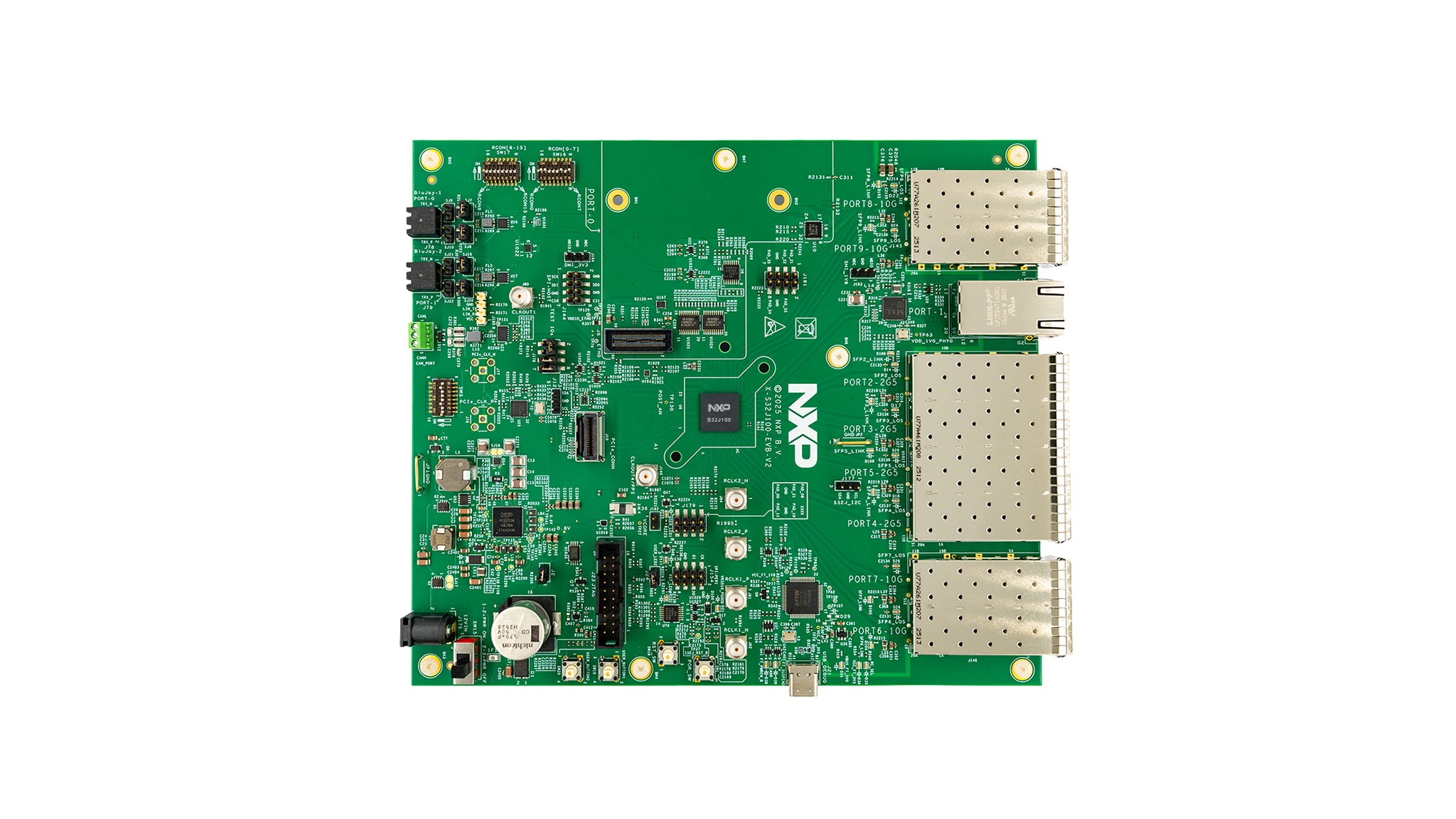
The S32J100-EVB-V2 evaluation board (EVB) provides a comprehensive hardware platform for evaluating the S32J100 high-performance automotive Ethernet switch and network controller, prototyping applications and accelerating software development.

1.1 Kit Contents

The kit contents include:

  • S32J100-EVB-V2 EVB
  • USB Type-A to USB Type-C cable
  • Direct current (DC) power adapter with a 2.1 mm-to-2.5 mm barrel connector adapter
  • Aluminum heatsink with push-pin mounts and self-adhesive thermal pad

2. Get Hardware

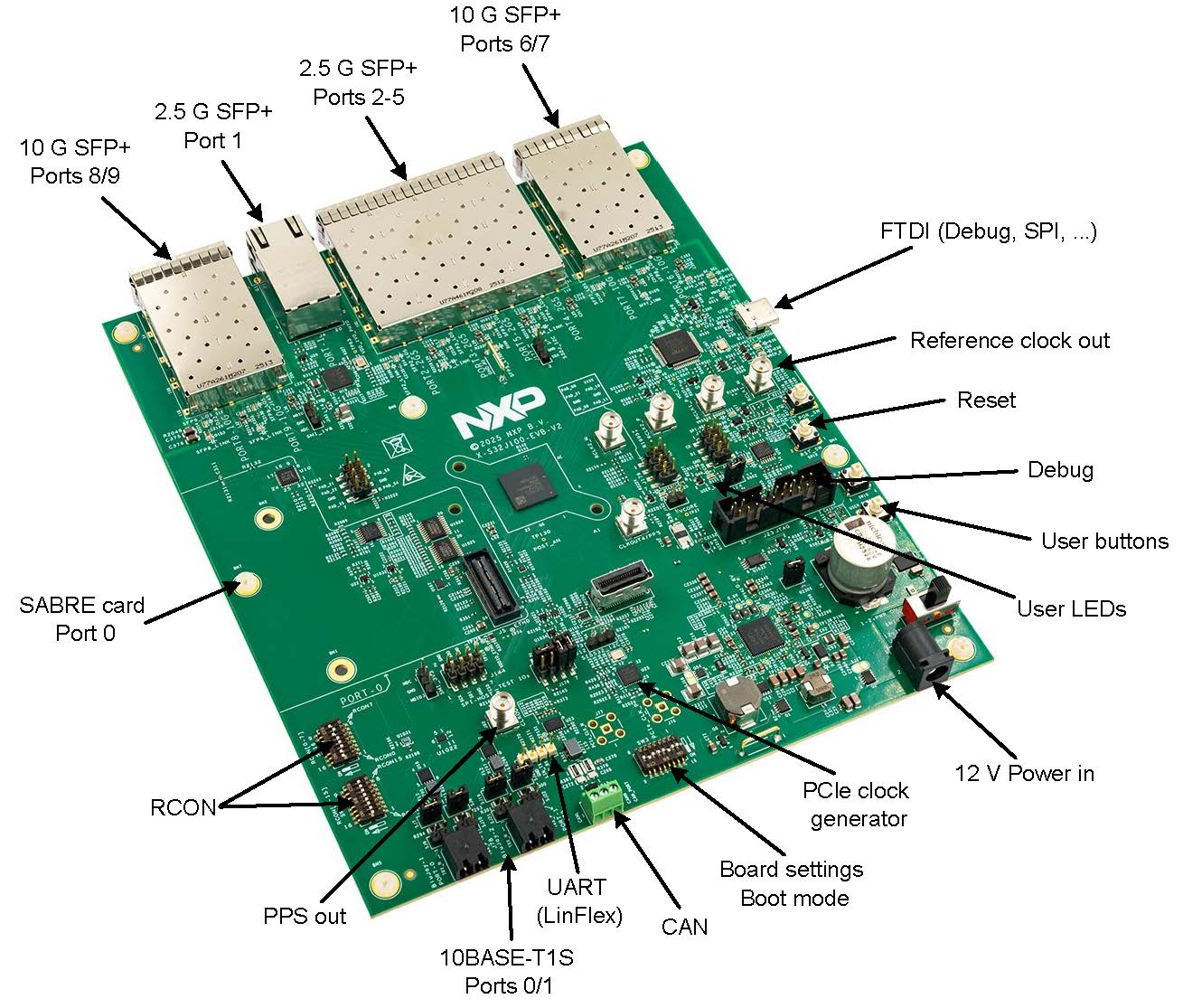
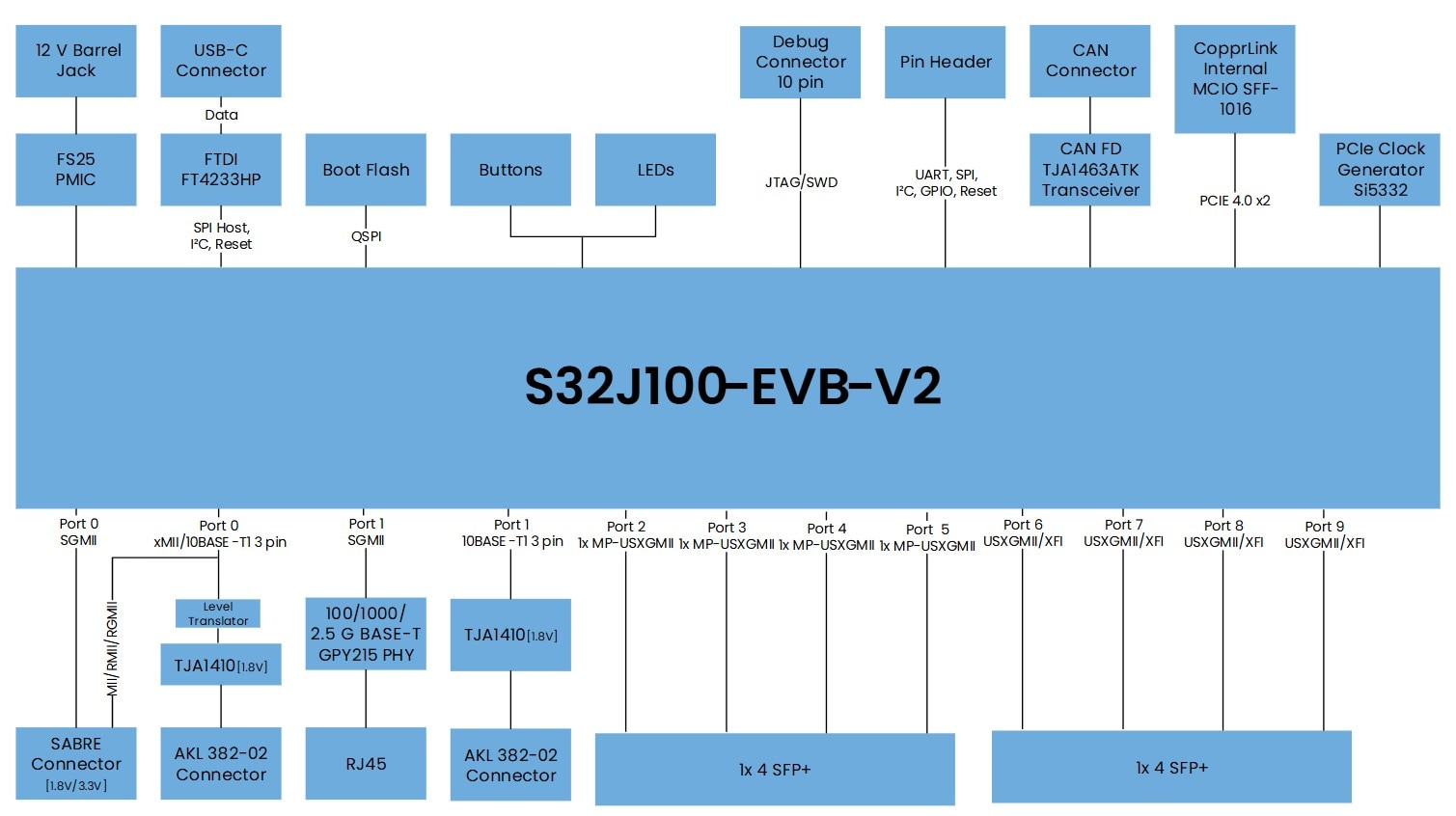
This section covers the components and features of the S32J100 EVB. Refer to Figure 1 and Figure 2 to become familiar with the layout of the board.

2.1 Board Features

Figure 1 below labels the features of the S32J100-EVB-V2.

Figure 1. S32J100-EVB-V2 Features and Layout

Figure 1. S32J100-EVB-V2 Features and Layout

2.2 Block Diagram

Figure 2 below shows the power tree diagram definition using the S32J100-EVB-V2.

Figure 2. S32J100-EVB-V2 Power Tree Block Diagram

Figure 2. S32J100-EVB-V2 Power Tree Block Diagram

3. Build and Load

This section will walk you through the steps to configure, power, and begin working with the S32J100 EVB.

3.1 Optional Heat Sink

Under normal operating conditions, it is not necessary to mount the heat sink.

To mount the heat sink, place the thermal pad on the S32J100, position the aluminum heat sink over the thermal pad, and press the mounting pins until they lock.

3.2 Default Configuration

The board can be configured using the SW3 dual in-line package (DIP) switches. Table 1 details the functions of each switch. Set the board to default when getting started.

SW3 DIP Function Off State On State Default
SW3.1 Peripheral Component Interconnect Express (PCIe) clock source Local oscillator Mini Cool Edge input/output (MCIO) Off
SW3.2 PCIe clock output to MCIO Enabled Disabled Off
SW3.3 PCIe debug clock output Enabled Disabled On
SW3.4 PCIe spread spectrum clock Disabled Enabled Off
SW3.5 Port 0 Input/output supply voltage (VDDIO) selection 3.3 V 1.8 V Off
SW3.6 S32J100-EVB-V2 PCIe mode Root complex (RC) Endpoint (EP) Off
SW3.7 Boot source selection BOOTMOD_0
  • Off, on: Serial boot
  • On, off: Boot Reset Configuration (RCON) or fuses (default)
On
SW3.8 Boot source selection BOOTMOD_1 Off

For development purposes, the S32J100 includes 16 bootstrap pins, referred to as parallel RCON. You will configure these pins on the S32J100-EVB-V2 using the DIP switches SW16 and SW17. Buffer connect the pull resistors only during reset. After the functional reset is released, you will disconnect the RCON pull resistors. The default configuration (run from the oscillator) is:

  • SW17 RCON[15-8]: 0x00
  • SW16 RCON[7-0]: 0xA3

Production boards do not require external RCON switch settings because the same configuration can be programmed into the S32J100 internal fuses.

3.3 Powering the Board

Use a 12 V, 1.5 A power supply with a barrel connector to power the board. If necessary, connect the included barrel connector adapter.

After connecting the power supply, you will turn on the power switch (SW15). The power-good (PGOOD) LED (D100) will light up to indicate that the board is receiving power.

3.4 Checking the Pre-Flashed Firmware

The board is preflashed with the S32J100 "standard" reference application.

After you power on the board, USER_LED2 (D111) The board is preflashed with the S32J100 "standard" reference application.

Connect a laptop or PC to the RJ45 connector on port 1. Use a network protocol analyzer like Wireshark to capture the diagnostic frames.

4. Get Software

In this final step, you will install the software needed to evaluate the board.

4.1 Install Software

Follow the steps to obtain the software needed for the EVB.

  1. Go to the Automotive package manager
  2. Download the reference applications for the S32J100
  3. Follow the guide included to get started with using the software

Support

Forums

Connect with other engineers and get expert advice on designing with the S32J100-EVB-V2 evaluation board using our community sites.